
Step-by-step Taption + Zoom integration
Written by: David | September 16th | 3 min read
You can now connect your Zoom account with your Taption account. After this tutorial, you will be able to transcribe Zoom recordings directly from Taption.
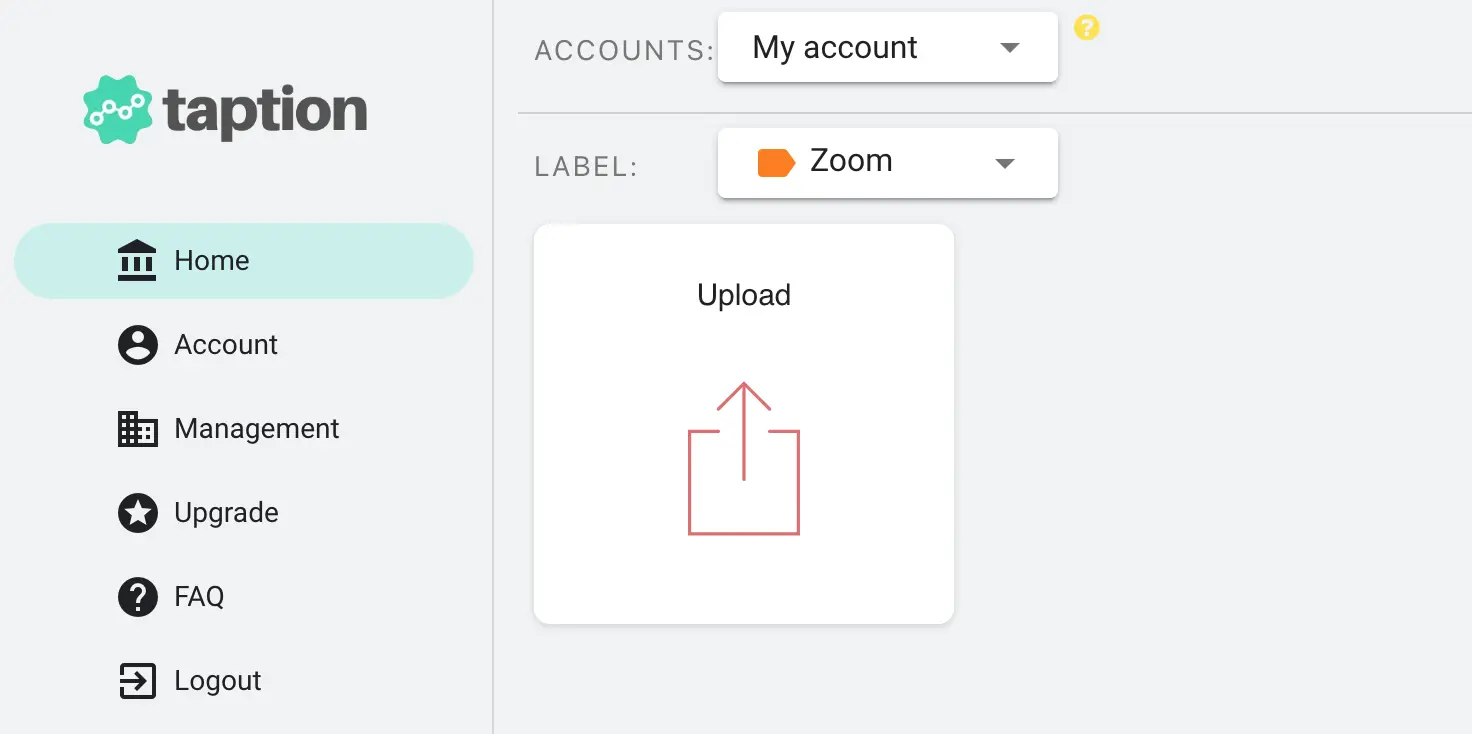
1. Click "Upload" after sigining in to your account
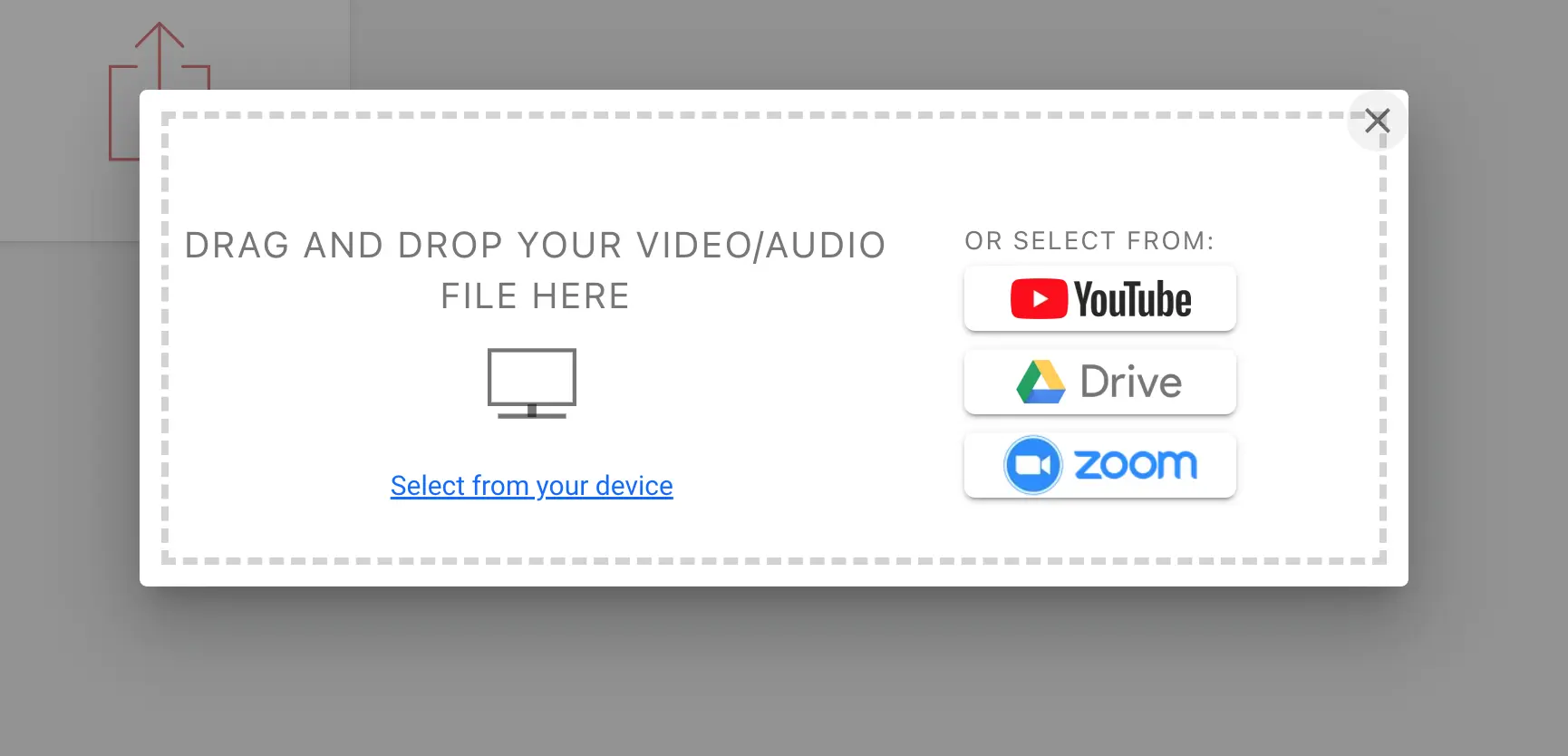
2. Choose "Zoom" in the popup dialog
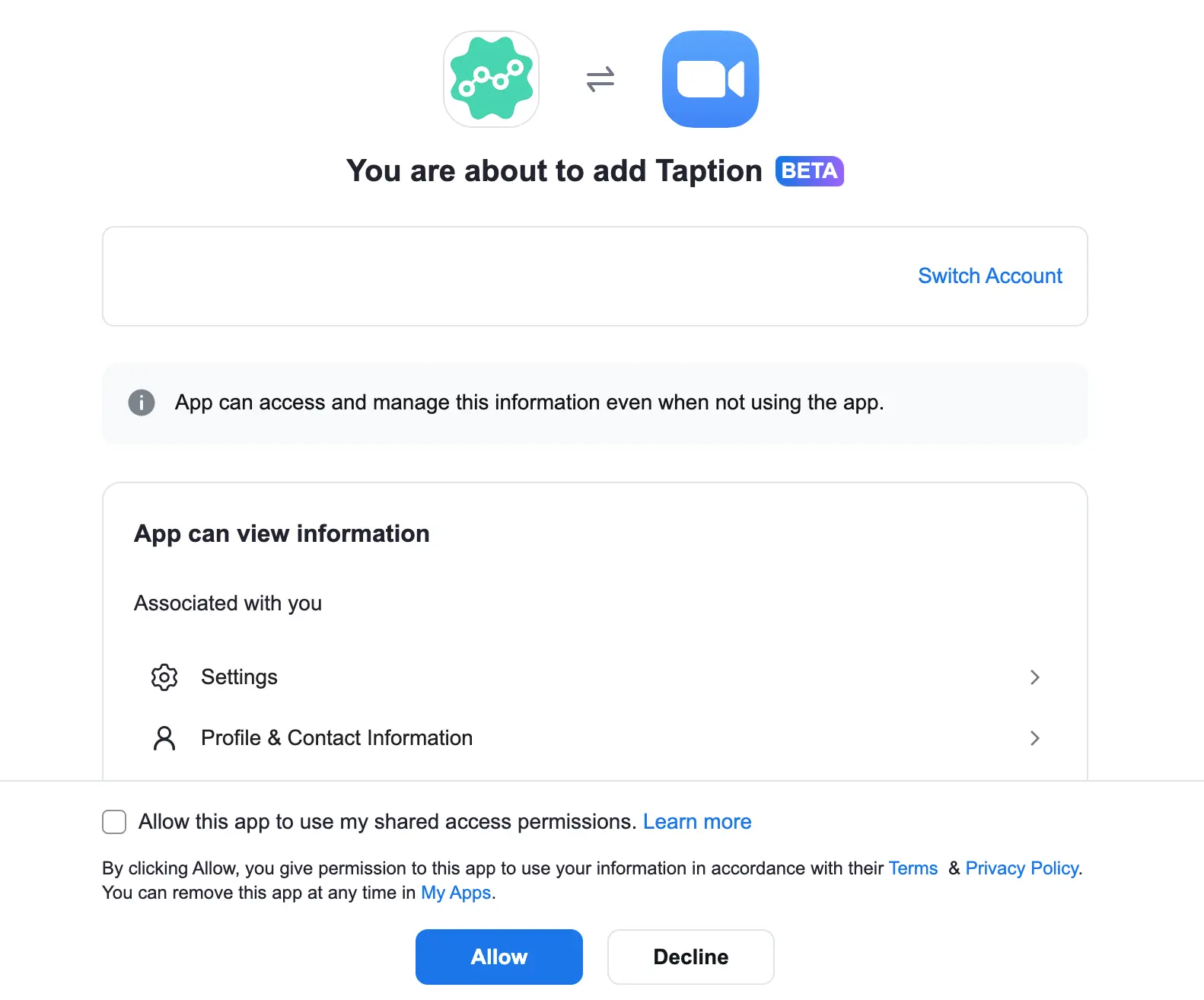
3. Log in with you Zoom account and authorize
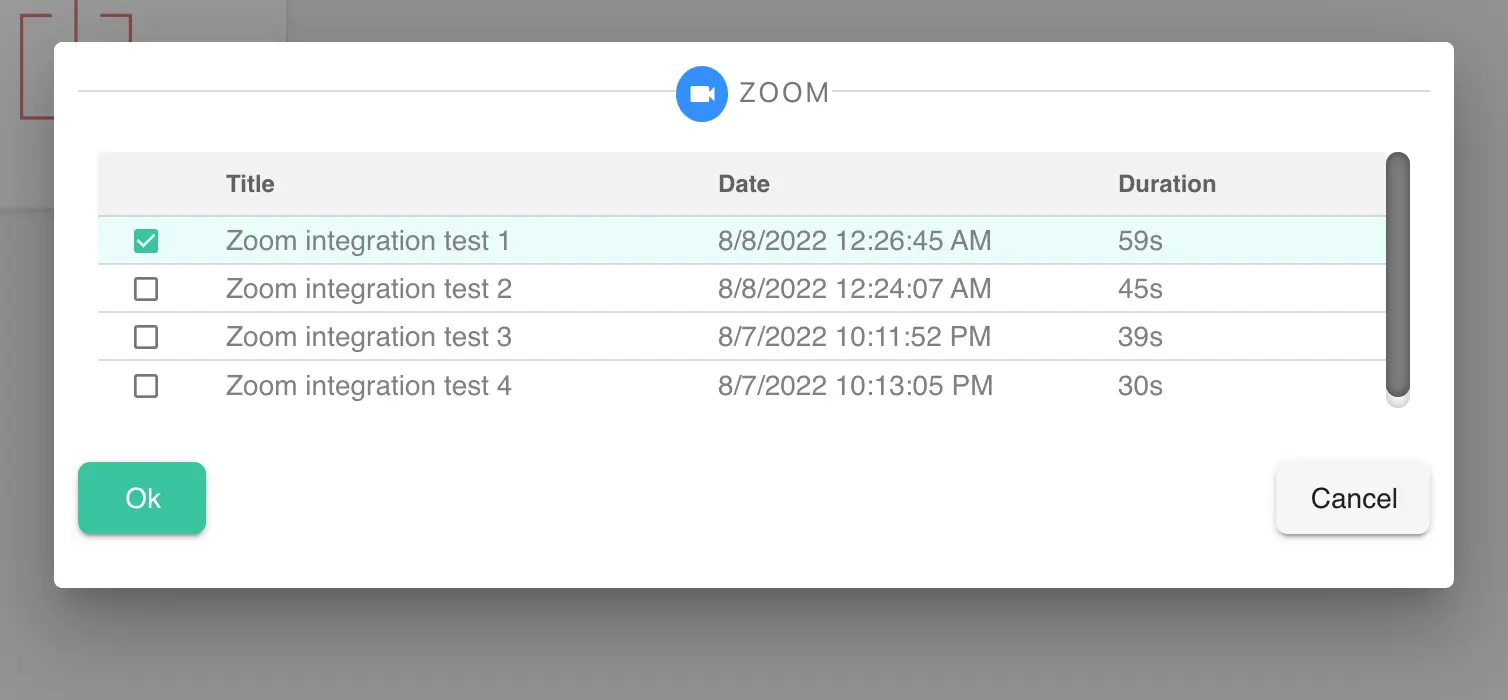
4. Choose your recording from the table
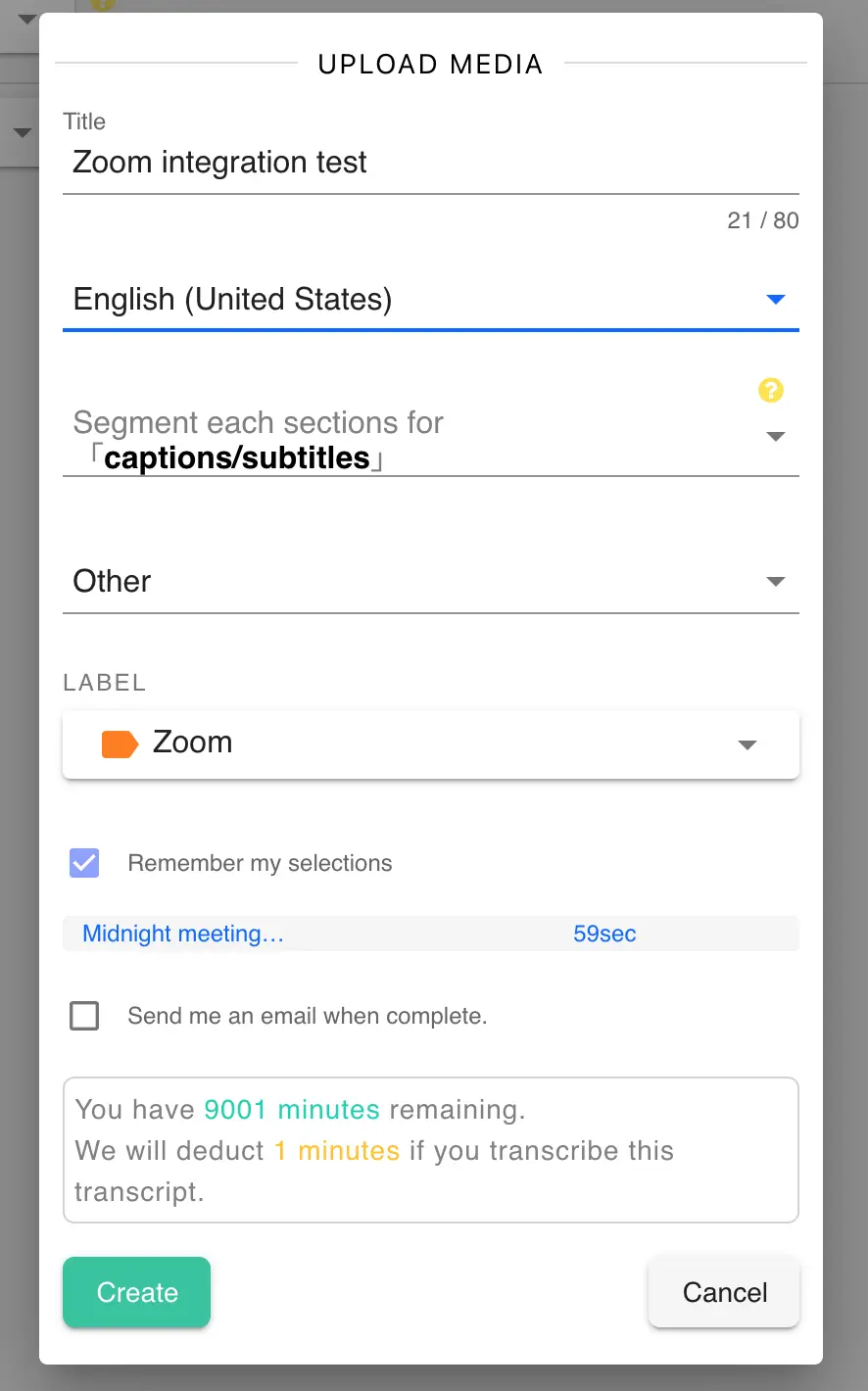
5. Configure your settings then you are ready to upload and transcribe
UNINSTALL TAPTION + ZOOM INTEGRATION
To uninstall Zoom from Taption, you can do so by going under Account ? Apps ? Uninstall
If you have further questions, please email us at help@taption.com